 Bad
BadContinuation setups
A fresh base after an impulsive leg gives a defined structure to trade with, including an obvious invalidation level below or above the base.
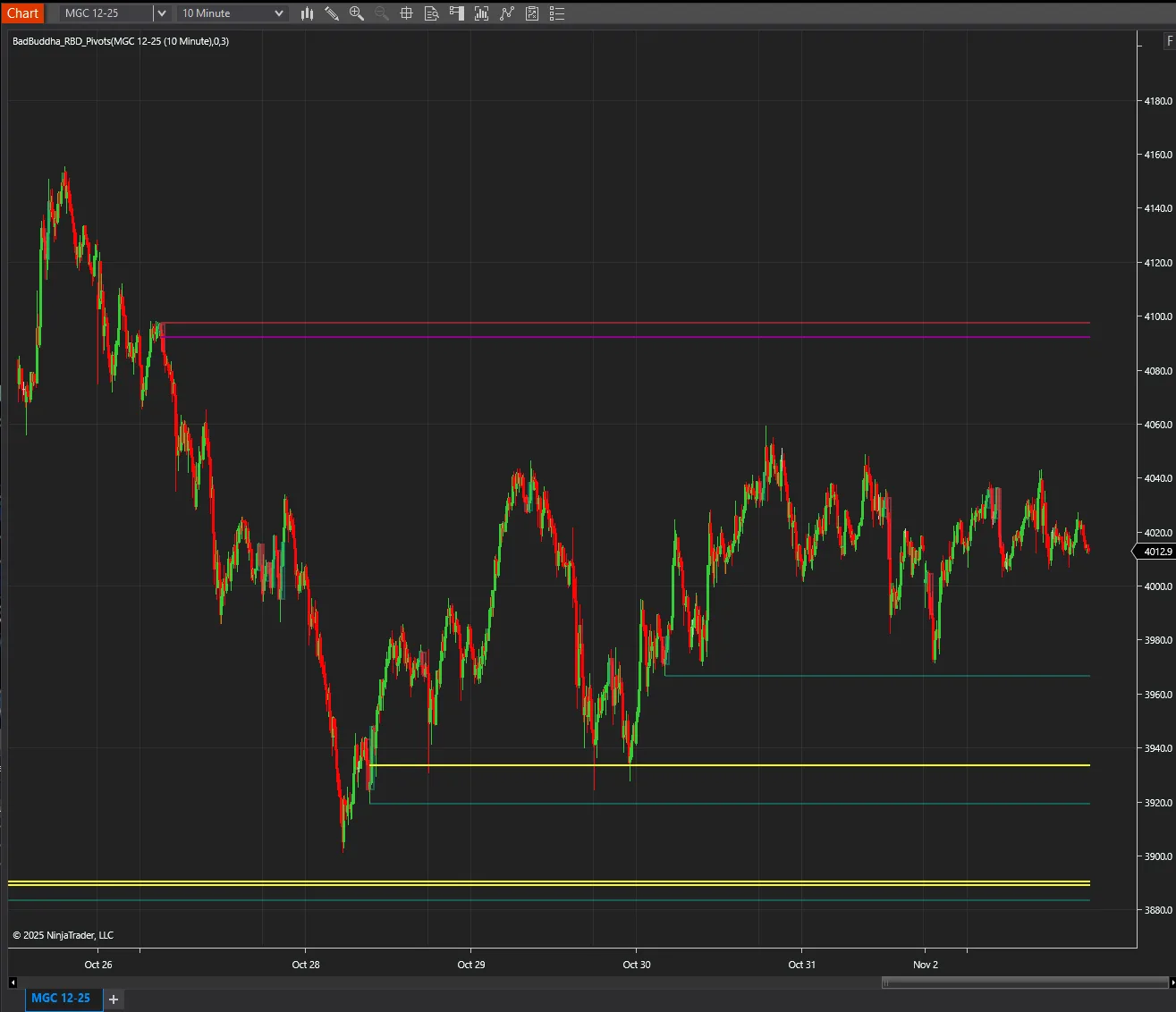
Automatically detects Rally-Base-Rally and Drop-Base-Drop patterns as they form on your chart.
BadBuddha's RBR Signals is a free tool from BadBuddha's Library — download it and drop it straight into NinjaTrader 8.
Download BadBuddha's RBR SignalsVersion 3.1.0.0 · Installs like every BadBuddha tool — see the install guide. Free tools need no activation.
Rally-Base-Rally (and its mirror, Drop-Base-Drop) is a classic supply-and-demand structure: price moves impulsively, pauses to consolidate in a tight base, then continues in the same direction. The base marks where unfilled orders tend to sit — which is why these zones are watched for continuation entries and for reactions on any later retest.
Spotting clean RBR/DBD structures by eye across timeframes is tedious and inconsistent. BadBuddha's RBR Signals detects the pattern automatically as it forms on your chart and marks it, so the structures are identified by rule rather than by mood.
A fresh base after an impulsive leg gives a defined structure to trade with, including an obvious invalidation level below or above the base.
Older marked bases double as reference zones when price returns to them later in the session or week.
Automation applies the same definition every time — no squinting at whether three sideways candles "count" as a base.
Same import as every NinjaTrader 8 add-on.
Use the download button above — no account, no checkout, no activation for free tools.
Control Center → Tools → Import → NinjaScript Add-On, then select the downloaded file. Do not unzip it first.
Open a chart → right-click → Indicators → find BadBuddha's RBR Signals in the list and configure it to taste.
BadBuddha tools include an update checker that tells you inside NinjaTrader when a new version ships.
Yes — BadBuddha's RBR Signals is part of BadBuddha's free library. There is no trial clock, no account, and no activation step; download it and use it.
Download the .zip, then in NinjaTrader 8 go to Control Center → Tools → Import → NinjaScript Add-On and select the file (don’t unzip it first). Full walkthrough in our Getting Started guide.
Yes. Chart indicators run locally inside your NinjaTrader 8 platform and work the same on sim, evaluation, and funded accounts regardless of broker or prop firm.
Every BadBuddha tool ships with a built-in update checker — when a new version is released, NinjaTrader lets you know and the download link on this page always serves the latest build.
Email info@badbuddhacustoms.com with the indicator name in the subject line. Questions, bug reports, and feature ideas are all welcome — free tools get real support too.
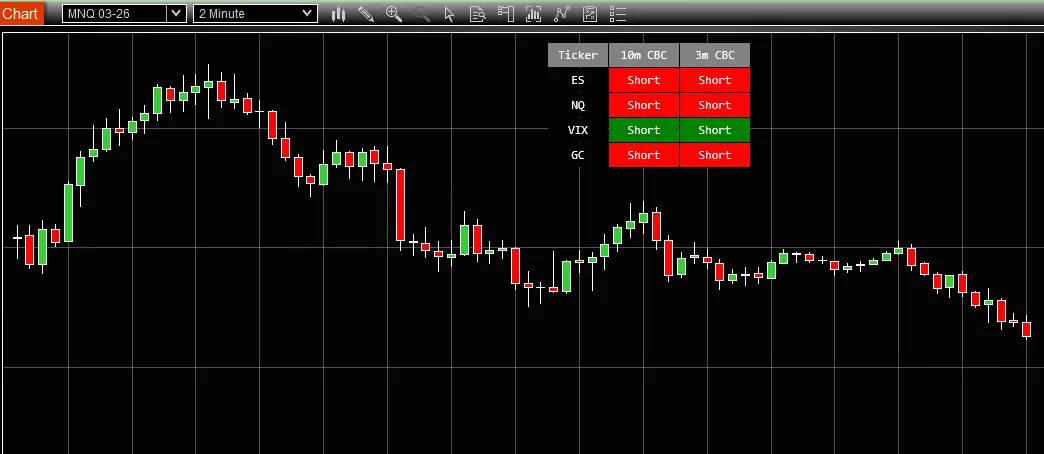
BadBuddha CBC Table displays Candle-by-Candle (CBC) trading signals for ES, NQ, and VIX in a compact visual table overlay.
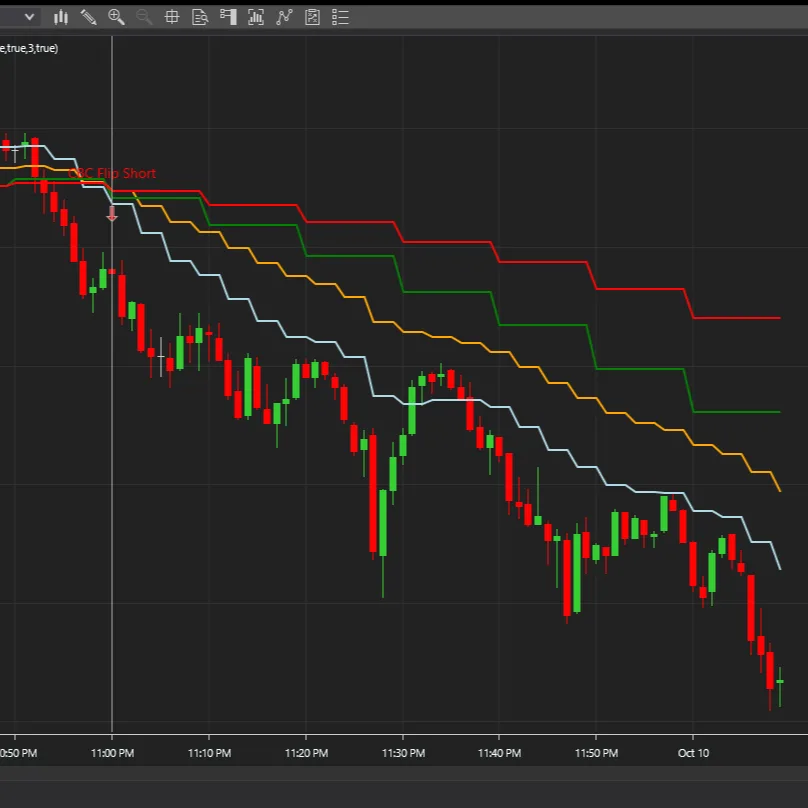
Multi-timeframe indicator detecting @MapleStax's Candle-By-Candle (CBC) flips on 10-minute bars displayed on lower timeframe charts for precise entry timing.
18 free and Pro indicators built for NinjaTrader 8.